
The electrical system of any device, machine, or infrastructure is only as reliable as its connecting components. At the heart of this connection lies the power cable. These seemingly simple components are complex, purpose-built conduits for energy and data.
What kinds of power cords are available? What are the critical factors that affect quality and performance? How do you select the correct power cord for a specific application? The answers depend largely on understanding technical specifications—the single most crucial factor in cable selection.
What Is A Power Cable
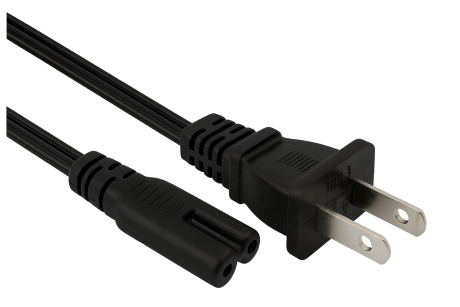
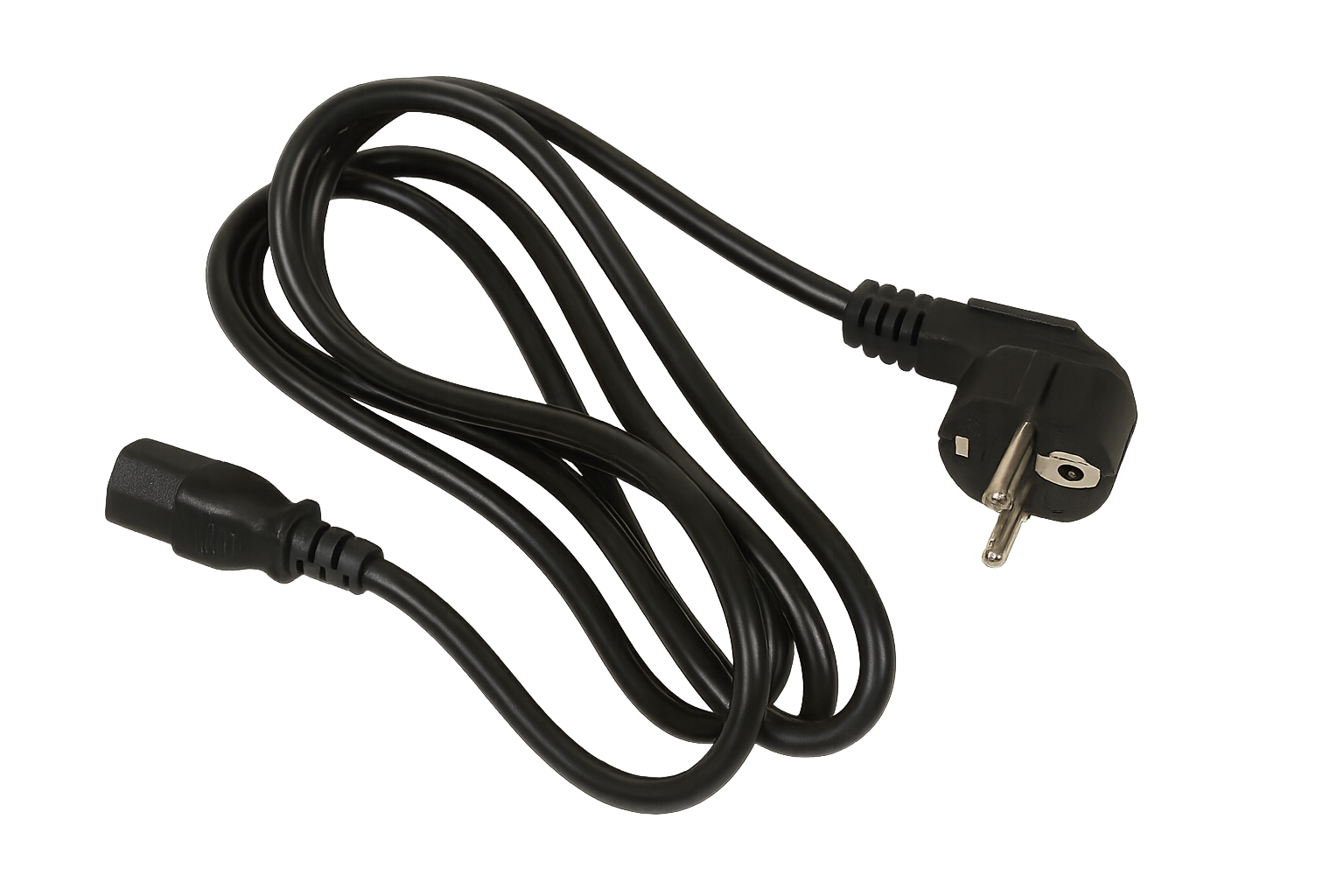
A power cable, or electrical cable, is fundamentally used to transmit electricity or power. It is the vital link that supplies energy to everything from small electricity-powered devices and wired computer networks to major power stations. These cables come in vast varieties, differing significantly in size, configuration, and performance characteristics.
The physical connection—the power cord connection—is often referred to as the plug, connector, or cord. It consists of one or more conductors (wires) encased in a protective plastic sheath, facilitating the seamless transmission of data or power between two points or devices.
General Types (Used in and around computers)
In the context of computing and electronics, various specialized cables fulfill specific roles:
Data & Peripherals: AT, ATA, CAT5 (Network), USB, Firewire (IEEE-1394), Thunderbolt.
Video & Display: Coaxial, Composite (RCA), DisplayPort, DVI, HDMI, S-Video, VGA/SVGA.
Internal Components: IDE/EIDE, Molex, SATA, SCSI.
Audio/Music: MIDI, Mini-plug, S/PDIF.
Three Main Cable Structures
While the list above is specific, most electrical cables fall into three fundamental structural categories:
Coaxial Cable:
Structure: A typical coax cable features a central conductor (often copper-plated) surrounded by a dielectric insulator. This layer is encircled by a second conducting layer (usually an interlaced copper shield), which is finally protected by an outermost plastic covering.
Properties: Coaxial cables are versatile, varying widely in cost, power handling, performance (especially signal clarity), size, and flexibility.
Application: Primarily used in higher frequency applications like connecting home video/audio equipment, Local Area Network (LAN) components, and television networks.
Ribbon Cable (Flat-twin/Multi-wire Planar):
Structure: Characterized by multiple insulated wires running parallel to each other on a flat plane.
Properties: The parallel configuration allows for the simultaneous transmission of multiple data signals. A standard ribbon cable may consist of anywhere from 4 to 12 or more wires.
Application: Commonly used to connect internal components, such as linking a computer’s motherboard with the core Central Processing Unit (CPU) or connecting network devices.
Twisted Pair Cable:
Structure: Consists of color-coded pairs of insulated copper wires that are twisted together. The diameter of each wire is typically between $0.4$ and $0.8 \text{ mm}$.
Properties: The number of insulated copper wire pairs dictates the cable’s performance, as a higher number of twists and pairs generally increases resistance to crosstalk (signal bleeding) and external noise interference.
Advantages: Flexible, easy to install, and relatively inexpensive.
Application: Widely used for telephone cabling and wiring Local Area Networks (LANs).
Shielded Power Cable
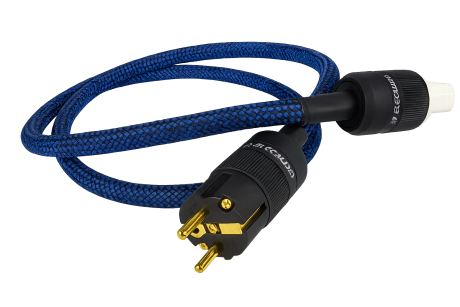
A crucial variation of the above structures is the shielded power cable. It features one or more insulated conductors collectively enclosed by a metallic barrier, typically an aluminum Mylar foil or an interlaced braid shielding. The shield’s primary function is to protect the cable from both electromagnetic interference (EMI) and radio frequency interference (RFI), ensuring the signal transmission remains effective and clean. Power cables that carry high voltage are routinely shielded.
Components and Determining Factors
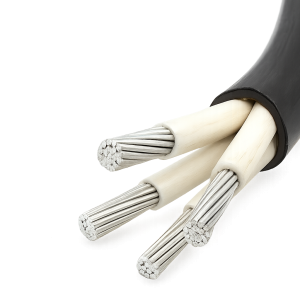
A power cable is constructed from three necessary components: Conductors, Insulation, and a Protective Jacket. The final makeup is dictated by its intended use and environment, driven by three primary engineering factors:
Working Voltage: This determines the required thickness of the insulation. Higher voltages necessitate thicker insulation to prevent electrical breakdown.
Current-Carrying Capacity (Ampacity): This dictates the cross-sectional size (gauge) of the conductors. Larger conductors are required to handle higher current loads without overheating.
Environmental Conditions: External factors—such as exposure to sunlight (UV), chemicals, moisture/water, or the risk of mechanical impact—determine the required form and composition of the outer jacket.
Cables intended for installation in harsh environments, such as direct burial or exposed outdoor runs, may incorporate metal armor (made of steel or aluminum) for mechanical protection. It is important to note that this armor is solely protective and is not designed to bear the current load during normal operation.
Power Cable Types in Detail
Monitor Power Cables
Monitor cables are responsible for transmitting the visual output signal from a computer to a display device. The connection can be analog or digital:
VGA (Video Graphics Array): An analog cable using an HD15 connector. While still present on legacy equipment, it has largely been superseded by digital standards.
DVI (Digital Visual Interface): A versatile interface capable of transmitting both digital and analog signals.
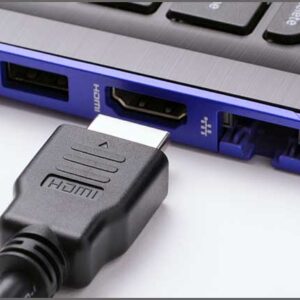
HDMI (High-Definition Multimedia Interface) & DisplayPort: The current standards for high-definition digital signals, capable of handling higher resolutions, refresh rates, and often carrying audio signals as well.
Hard Drive Power Cables
Hard drives require specific cables for both power and data transfer:
IDE/PATA (Integrated Drive Electronics/Parallel AT Attachment): An older standard (pre-2009), using a wide, 40-pin ribbon cable. It allowed one or two drives to be connected to a single channel.
SATA (Serial Advanced Technology Attachment): The modern standard, featuring a smaller cable with seven conductors. It connects a drive to a single dedicated SATA controller port on the motherboard, offering faster data transfer speeds.
SCSI (Small Computer System Interface): Primarily used in high-end workstations and mainframes since 1981. SCSI cables also use a ribbon format but feature many more pins (60 or 68) and allow an impressive number of devices (up to 15) to connect to a single channel.
USB Power Cables (Universal Serial Bus)
USB was introduced to standardize the connection of peripherals (printers, mice, cameras) for both communication and power supply.
Type-A: The classic, rectangular connector found on host devices (PCs, power adapters).
Type-B: The square-shaped connector often used on larger peripherals like printers.
Micro-USB & Mini-USB: Smaller formats for mobile devices. Micro-USB is the current standard for most portable electronics (excluding Apple).
Type-C: The latest, fully reversible standard designed for high-speed data transfer and power delivery (including device charging and even running laptops).
USB 3: A standard that denotes fast transfer rates (superspeed). The cable is backward compatible, but maximum speed is only achieved when both the host and device support USB 3.
When purchasing a new micro-USB or USB-C cable, the primary considerations are quality and length. Cheaper cables are prone to failure and can pose charging risks. A cable length of approximately three feet is often an ideal compromise, offering portability while allowing the device to be used comfortably near an outlet.
PC Power Supply Cables (Internal)
Modern Power Supply Units (PSUs) utilize standardized, specific connectors, making incorrect installation difficult:
P1 (PC Main / ATX Connector): The primary connector for the motherboard, featuring 20 or 24 pins. A 24-pin cable is typically modular, allowing it to adapt to a 20-pin board.
P4 (EPS Connector): Provides additional, dedicated power directly to the CPU. Less expensive motherboards use a 4-pin connector, while high-end or overclocking motherboards require an 8-pin connector for increased power draw (up to $200 \text{ W}$).
PCI-E Connector ($6$-pin and $6+2$ pin): Graphics cards typically require more than the $75 \text{ W}$ supplied by the motherboard’s PCI-E slot.
6-pin: Supplies an extra $75 \text{ W}$ (total system draw: $150 \text{ W}$).
$6+2$ pin (8-pin): Supplies an extra $150 \text{ W}$ (total system draw: $225 \text{ W}$) for high-performance GPUs.
Molex (4 Pin Peripheral Connector): A legacy connector that supplies $5 \text{ V}$ (red wire) or $12 \text{ V}$ (yellow wire). It has largely been replaced by SATA and PCI-E connectors due to its limited power draw, but it is still used today for case fans and lighting accessories.
Where To Buy Power Cables
Before making a purchase, it is essential to dispel common misconceptions about cable performance and safety:
Technical Considerations
The Conductivity Myth (Copper vs. Aluminum): Many believe copper is universally superior. However, the effectiveness of power transmission is a complex combination of conductor material, insulation type, and cable size. For very long distances at extra high voltages, aluminum cables are often more economical than copper cables.
Current Capacity Stability Myth: It is often assumed a cable’s maximum current capacity is fixed. The reality is that current capacity is unstable and changes over a wire’s lifespan. Factors influencing this fluctuation include air and ground temperature, the depth at which the cable is laid, and its installation method.
Physical Safety
The Moisture Myth: The common belief that a cable sheath provides complete protection for use in continuously moist or wet areas is misleading. While the sheath is designed to protect the conductors, it is not a submersible barrier, and continuous exposure to water will ultimately lead to sheath damage and cable failure.
The Impact Protection Myth: The sheath is not designed to withstand severe physical impact. Exposing an armored power cable to significant physical forces can actually heighten the damage rather than mitigate it.
The most important rule in power cables is safety. Incorrect installation or using the wrong type of cable can lead to catastrophic accidents, including fire and electrocution. Always ensure the purchased cable is correctly rated for the intended device and environment.
Looking for Custom Solutions from Grace
For users requiring specialized dimensions, unique connector configurations, or specific performance ratings, relying on generic, overpriced cables from big-box physical outlets like Best Buy or Walmart is not the answer.
Instead, consider partnering with a specialized manufacturer like Grace. We accept and custom-engineer cables according to your precise requirements. Purchasing from a custom supplier not only guarantees the required specifications but also affords you the opportunity to scrutinize user reviews and technical documentation, ensuring durability and long-term performance.
Conclusion
We trust this ultimate guide has provided you with a comprehensive understanding of power cables—their fundamental structures, detailed types, and critical selection considerations.
Have you been frustrated by buying standard cables that fail to deliver the durability or specifications you require? Stop wasting time and money on generic solutions. If you seek a durable and long-lasting power cable perfectly engineered for your devices, contact us today to explore your custom solutions.
FAQs
1. What is the difference between “Gauge” and “Ampacity”?
Gauge refers to the physical size of the conductor (e.g., AWG – American Wire Gauge). A lower gauge number indicates a physically thicker wire. Ampacity is the maximum amount of electric current (measured in Amperes) a conductor can carry continuously under specified conditions without exceeding its temperature rating. Gauge determines the Ampacity.
2. Can I use a power cable with a higher voltage rating than my device requires?
Yes, you can. A cable rated for $600 \text{ V}$ can safely be used with a $120 \text{ V}$ device. The voltage rating indicates the maximum voltage the cable’s insulation can safely withstand, not the voltage it must carry.
3. Why do my long USB cables charge slowly?
This is due to voltage drop over distance. All conductors have resistance, and longer cables have higher resistance. This resistance converts electrical energy into heat, causing the voltage available at the device end to drop, which slows down the charging process. Always opt for the shortest cable length necessary.
4. What is a plenum cable, and when should I use it?
A plenum cable has a special jacket material that emits less smoke and fewer toxic fumes when burned. Plenum is the space used for air circulation in a building (e.g., above suspended ceilings). If you are running communication or network cables in these air spaces, building codes typically require the use of plenum-rated cables for fire safety.
5. Is a cable with shielding automatically better than an unshielded one?
Not always. Shielding is crucial in high-noise environments (like near motors or fluorescent lights) or for high-speed data (like Category 7 Ethernet) to prevent interference. However, in low-noise environments, an unshielded cable is often more flexible, less expensive, and easier to install, with no practical loss of performance.
6. What is the danger of using a frayed or cracked power cord?
A damaged outer jacket exposes the conductor and inner insulation, creating a serious fire and shock hazard. The exposed conductors can short-circuit or come into contact with flammable materials, and the compromised insulation poses a direct electrical shock risk to anyone touching the cable. Damaged cables must be replaced immediately.
7. What are cable tie wraps, and should I use them?
Cable tie wraps (or zip ties) are used for bundling and organizing cables. While helpful for tidiness, be careful not to overtighten them, as excessive force can deform the cable’s geometry and damage the internal conductors or shielding, potentially impairing performance, particularly in data cables like twisted pairs.
8. What does the “UL Listed” mark mean on a power cord?
“UL Listed” (Underwriters Laboratories) means that UL has tested the cable and determined that it meets their published standards for safety and performance. This certification is crucial and signifies that the product is safe for use and meets recognized industry benchmarks.